> ## Documentation Index
> Fetch the complete documentation index at: https://docs.skyhook.io/llms.txt
> Use this file to discover all available pages before exploring further.
# Notifications
> Configure Slack notification rules and channels for deployment updates
Configure which Slack channels receive notifications for deployments and service updates in each environment.
Access this page from **Settings > Notifications** in the sidebar.
## Notification Rules
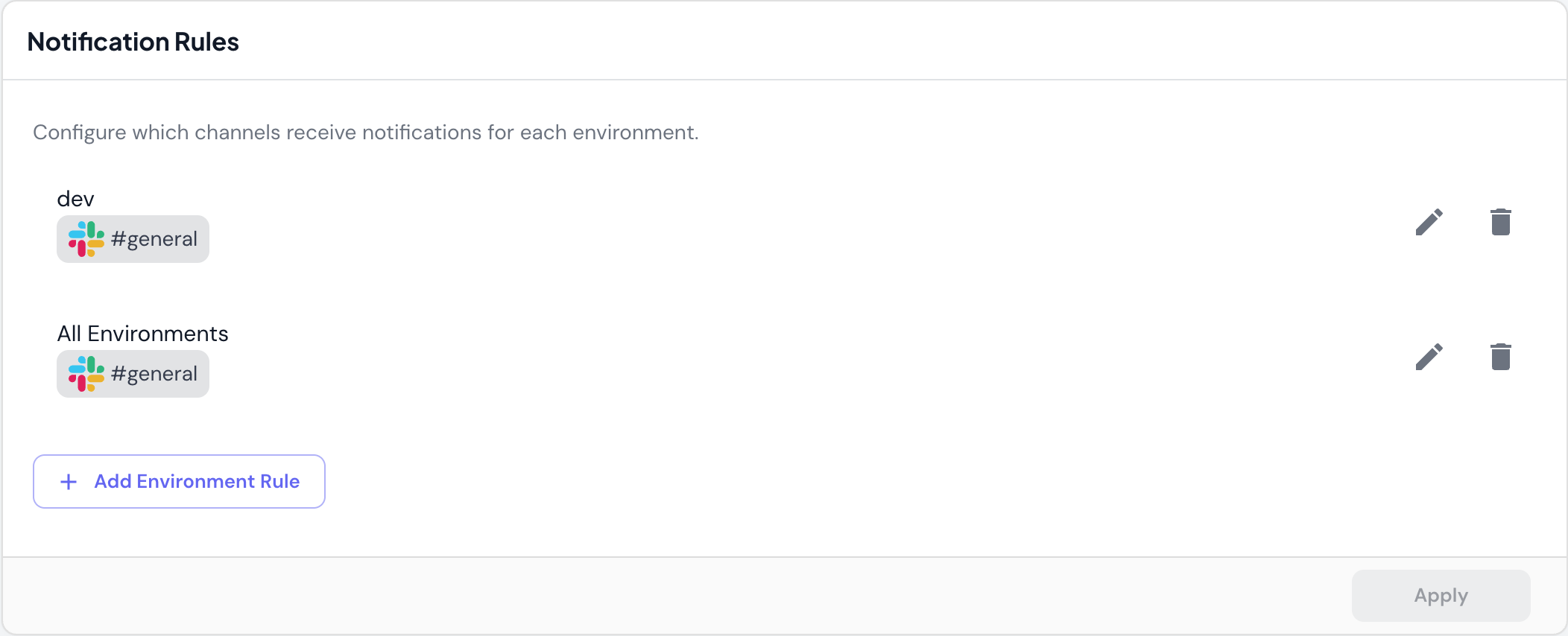 Route deployment notifications to different Slack channels based on environment.
### Environment-Based Routing
Configure which channels receive notifications for specific environments:
* `dev` environment → `#engineering` channel
* `staging` environment → `#qa-team` channel
* `prod` environment → `#alerts` channel
* `All Environments` → `#general` channel
### How It Works
1. **Add an environment rule** specifying the environment name or "All Environments"
2. **Select Slack channels** to receive notifications for that environment
3. **Deployments trigger notifications** to the specified channels when they occur
### Managing Rules
* **Edit**: Change the environment or channels for an existing rule
* **Delete**: Remove a rule to stop sending notifications
* **Add Environment Rule**: Create a new routing rule
Use environment-specific channels to reduce noise. For example, send dev deployments to `#engineering`, but production deployments to `#alerts` for higher visibility.
## Notification Channels
Route deployment notifications to different Slack channels based on environment.
### Environment-Based Routing
Configure which channels receive notifications for specific environments:
* `dev` environment → `#engineering` channel
* `staging` environment → `#qa-team` channel
* `prod` environment → `#alerts` channel
* `All Environments` → `#general` channel
### How It Works
1. **Add an environment rule** specifying the environment name or "All Environments"
2. **Select Slack channels** to receive notifications for that environment
3. **Deployments trigger notifications** to the specified channels when they occur
### Managing Rules
* **Edit**: Change the environment or channels for an existing rule
* **Delete**: Remove a rule to stop sending notifications
* **Add Environment Rule**: Create a new routing rule
Use environment-specific channels to reduce noise. For example, send dev deployments to `#engineering`, but production deployments to `#alerts` for higher visibility.
## Notification Channels
 ### Slack Integration
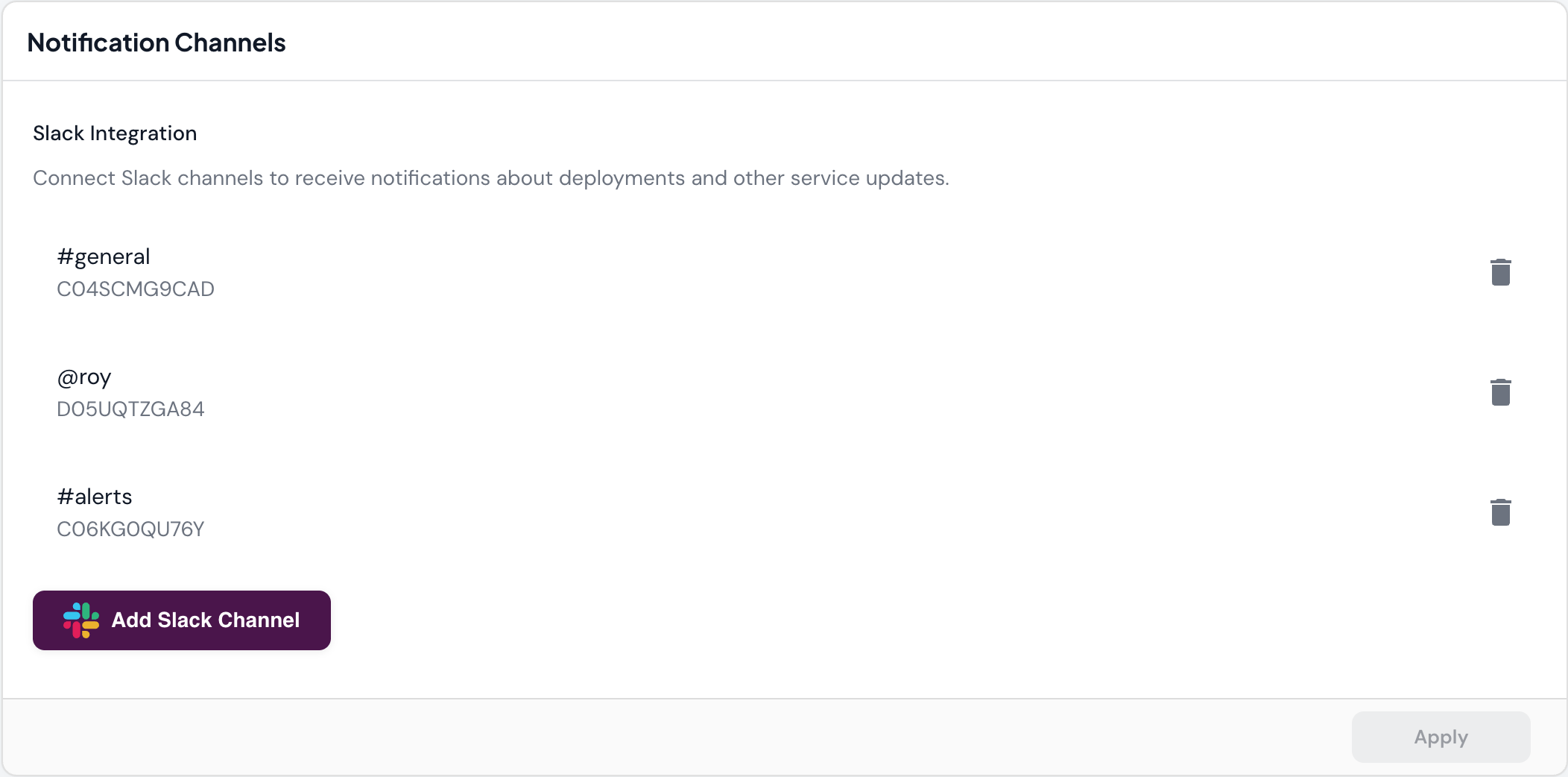
Connect Slack channels to receive notifications about deployments and service updates.
**Connected channels show**:
* **Channel name**: e.g., `#general`, `#alerts`, `@username`
* **Channel ID**: e.g., `C04SCMG9CAD` (Slack's internal identifier)
* **Channel types**: Public channels (`#channel-name`) or direct messages (`@username`)
### Adding Slack Channels
1. Click **Add Slack Channel**
2. Authorize Skyhook to access your Slack workspace (if not already connected)
3. Select the channel to connect
4. Use the channel in notification rules
You can send notifications to both public channels (`#channel-name`) and direct messages (`@username`) for important alerts or individual updates.
### Managing Channels
* **Delete**: Remove a channel from Skyhook (stops all notifications to that channel)
* **Add Slack Channel**: Connect additional channels as needed
Channels must be added to Slack Integration before they can be used in Notification Rules.
## Use Cases
### Development Team Notifications
Route dev and staging deployments to your team's working channel:
* Environment: `dev`
* Channel: `#engineering`
### Production Alerts
Send production deployments to a dedicated alerts channel with higher visibility:
* Environment: `prod`
* Channels: `#alerts`, `#on-call`
### Individual Notifications
Send notifications to specific team members for their services:
* Environment: `All Environments`
* Channel: `@developer-name`
### Catch-All Notifications
Ensure all deployments are logged in a central channel:
* Environment: `All Environments`
* Channel: `#deployments`
Notification rules are processed in order. More specific rules (like individual environments) take precedence over general rules (like "All Environments").
## Related Documentation
* [Service Deployment](/application/services/deploy) - How deployments work
* [Environments](/application/environments/overview) - Understanding environments
* [CI/CD](/application/cicd/overview) - CI/CD pipeline configuration
### Slack Integration
Connect Slack channels to receive notifications about deployments and service updates.
**Connected channels show**:
* **Channel name**: e.g., `#general`, `#alerts`, `@username`
* **Channel ID**: e.g., `C04SCMG9CAD` (Slack's internal identifier)
* **Channel types**: Public channels (`#channel-name`) or direct messages (`@username`)
### Adding Slack Channels
1. Click **Add Slack Channel**
2. Authorize Skyhook to access your Slack workspace (if not already connected)
3. Select the channel to connect
4. Use the channel in notification rules
You can send notifications to both public channels (`#channel-name`) and direct messages (`@username`) for important alerts or individual updates.
### Managing Channels
* **Delete**: Remove a channel from Skyhook (stops all notifications to that channel)
* **Add Slack Channel**: Connect additional channels as needed
Channels must be added to Slack Integration before they can be used in Notification Rules.
## Use Cases
### Development Team Notifications
Route dev and staging deployments to your team's working channel:
* Environment: `dev`
* Channel: `#engineering`
### Production Alerts
Send production deployments to a dedicated alerts channel with higher visibility:
* Environment: `prod`
* Channels: `#alerts`, `#on-call`
### Individual Notifications
Send notifications to specific team members for their services:
* Environment: `All Environments`
* Channel: `@developer-name`
### Catch-All Notifications
Ensure all deployments are logged in a central channel:
* Environment: `All Environments`
* Channel: `#deployments`
Notification rules are processed in order. More specific rules (like individual environments) take precedence over general rules (like "All Environments").
## Related Documentation
* [Service Deployment](/application/services/deploy) - How deployments work
* [Environments](/application/environments/overview) - Understanding environments
* [CI/CD](/application/cicd/overview) - CI/CD pipeline configuration