
Repository Settings
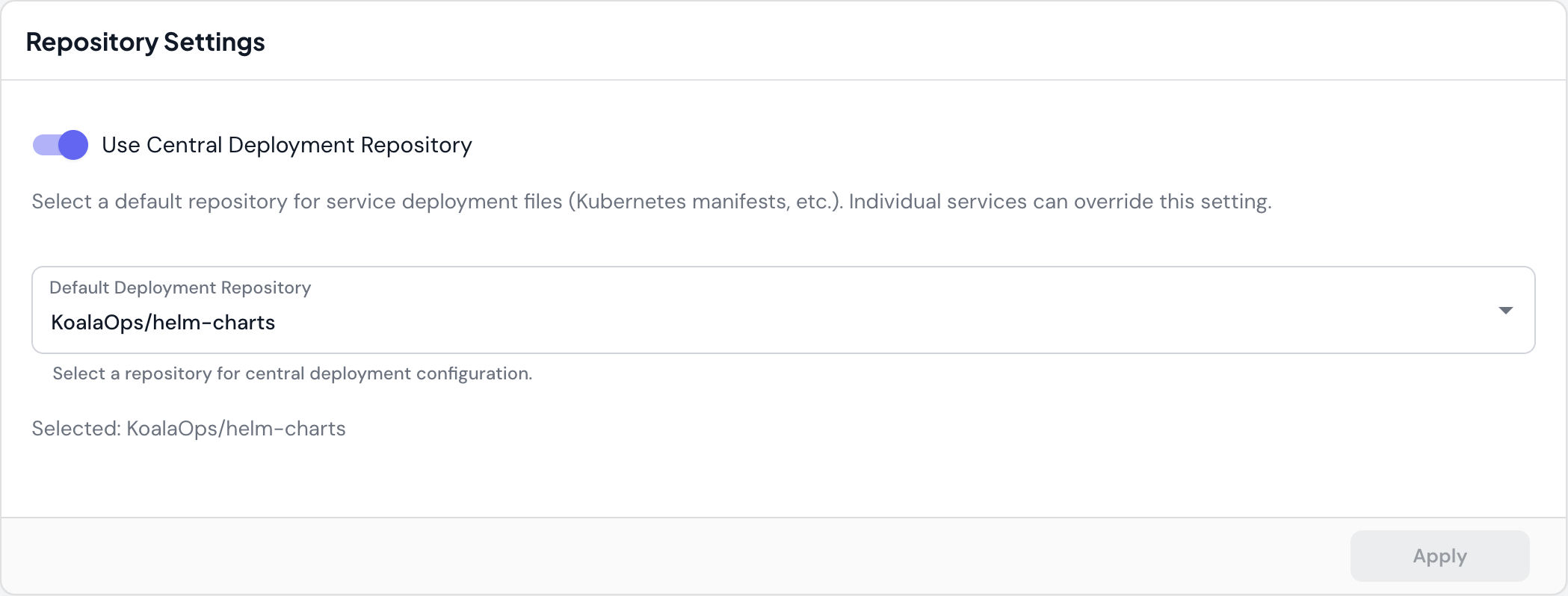
Use Central Deployment Repository
Select a default repository for service deployment files (Kubernetes manifests, Helm charts, etc.). Individual services can override this setting.- When to use: Centralize deployment configuration across multiple services in a single repository
- Override: Services can specify their own deployment repository if needed
- Example:
KoalaOps/helm-chartsstores all service Helm charts in one place
This is particularly useful for monorepo setups or when following GitOps practices with a dedicated infrastructure repository.
Code Preferences
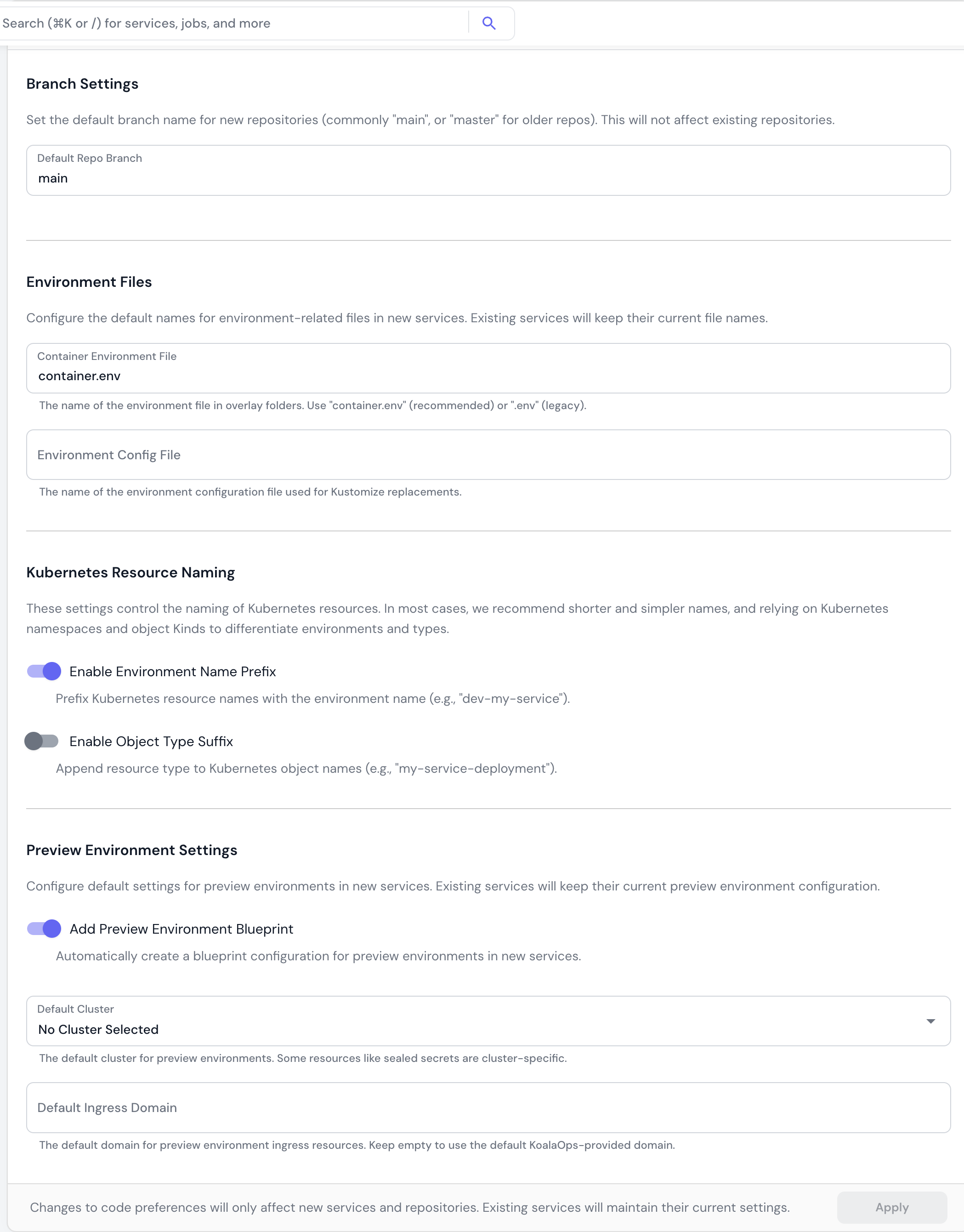
Branch Settings
Default Repo Branch The default branch name for new repositories (main, master, etc.). This does not affect existing repositories.
- Default:
main - When to use: Set to
masterif your organization uses legacy naming conventions
Environment Files
Configure the default names for environment-related files in new services. Container Environment File The name of the environment file in overlay folders.- Recommended:
container.env(modern standard) - Legacy:
.env(for backward compatibility) - Purpose: Stores environment variables for containers in Kustomize overlays
- Purpose: Defines environment-specific values for Kustomize variable substitution
Kubernetes Resource Naming
Control how Kubernetes resources are named across your organization. Enable Environment Name Prefix Prefix Kubernetes resource names with the environment name.- Example:
dev-my-service,prod-my-service - Trade-off: Longer names but explicit environment identification
- Recommendation: Use Kubernetes namespaces instead of prefixes for environment separation
- Example:
my-service-deployment,my-service-service - Trade-off: More explicit but more verbose
- Recommendation: Rely on Kubernetes object Kinds rather than adding suffixes
Preview Environment Settings
Configure default settings for preview environments in new services. Add Preview Environment Blueprint Automatically create a blueprint configuration for preview environments when creating new services.- When enabled: New services include preview environment setup out of the box
- When to use: If your team regularly uses preview environments for PR testing
- Purpose: Some resources like sealed secrets are cluster-specific
- Recommendation: Select a non-production cluster for preview workloads
- Leave empty: Use the default Skyhook-provided domain
- Custom domain: Specify your own domain for preview environments (e.g.,
preview.example.com)
Service Templates
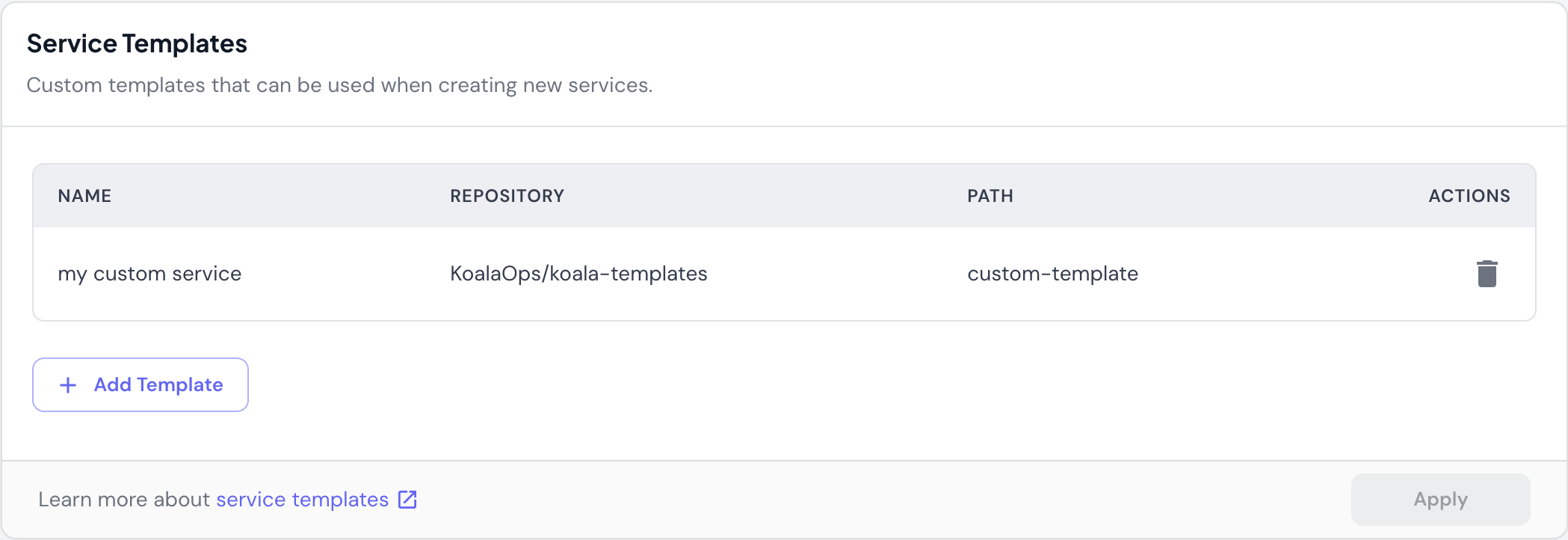
- Repository: Where the template code is stored
- Path: Directory path within the repository
- Usage: Select template when creating a new service
- Add Template: Point to a repository and path containing your service template
- Delete: Remove templates that are no longer needed