
UI or CLI
The same onboarding flow is available from the terminal:kubectl, gcloud/aws, and gh set up locally — it can detect your current cluster, register the OIDC trust, and helm install the connector without you copy-pasting commands between pages. You can also run individual steps (skyhook onboard cluster connect, skyhook onboard github, skyhook onboard argocd) and check progress at any time with skyhook onboard status.
The rest of this page describes the UI wizard. Pages linked from each step explain the matching CLI commands.
First-time login
When you sign in for the very first time, Skyhook walks you through a short setup before the main wizard appears:1
Pick an organization
If your GitHub account belongs to multiple organizations, Skyhook shows an organization selection page. Pick the org you want this Skyhook tenant to be scoped to. You can switch organizations later from the sidebar org picker.
2
Choose your path
Skyhook asks whether you want to connect an existing cluster (fast path, see Quick Start) or provision a new one (slower, this guide). You can mix — provision one cluster now, connect others later.
3
Enter the onboarding wizard
Skyhook opens the onboarding wizard and you’re on step 1.
Prerequisite checklist on every page
As you set things up, Skyhook shows a setup checklist on pages that depend on prerequisites — Services, Jobs, Clusters, Environments, Addons, FinOps. Each checklist shows exactly what’s missing and offers:- A Connect Cluster primary action when a cluster is needed
- A Setup Wizard secondary action that reopens the onboarding wizard from where you left off
What the Guide Does
The onboarding wizard helps you set up Skyhook with your Kubernetes clusters. You can provision new clusters on a major cloud provider (GCP, AWS, or Azure) or connect existing clusters from any source - including on-prem, bare-metal, OVH, DigitalOcean, or any Kubernetes distribution. The wizard walks you through:- Cluster Provisioning - Create new Kubernetes clusters using Terraform, CloudFormation, or Skyhook’s Infra-Manager
- VPC Network Setup - Automatically configure networking infrastructure
- Skyhook Cluster Connector Installation - Connect clusters to Skyhook for monitoring and management
- GitHub & GitOps Setup - Configure GitHub access and install ArgoCD
- Addon Configuration - Set up cert-manager and nginx-ingress
- Service Import - Optionally import existing services
The wizard automatically handles VPC network setup and cluster provisioning. You’ll need to provide cloud provider credentials and configuration settings.
Before You Start
Cloud Provider Requirements
Ensure you have the necessary cloud provider setup before starting the wizard:- GCP
- AWS
- Azure
- BYOK (Any Kubernetes)
Required before onboarding:
- GCP Account with a GCP Project
- Enabled APIs: “Artifact Registry API” and “Compute Engine API”
- Docker Image Registry (Google Artifact Registry or other compatible registry)
- VPC Network creation
- GKE cluster provisioning
Step 1: Cloud Provider Selection (2 min)
Choose your platform: AWS, GCP, Azure, or Bring Your Own Cluster for any other Kubernetes distribution. This determines which provisioning templates and configuration options are available. BYOK clusters skip provisioning and go directly to cluster connection.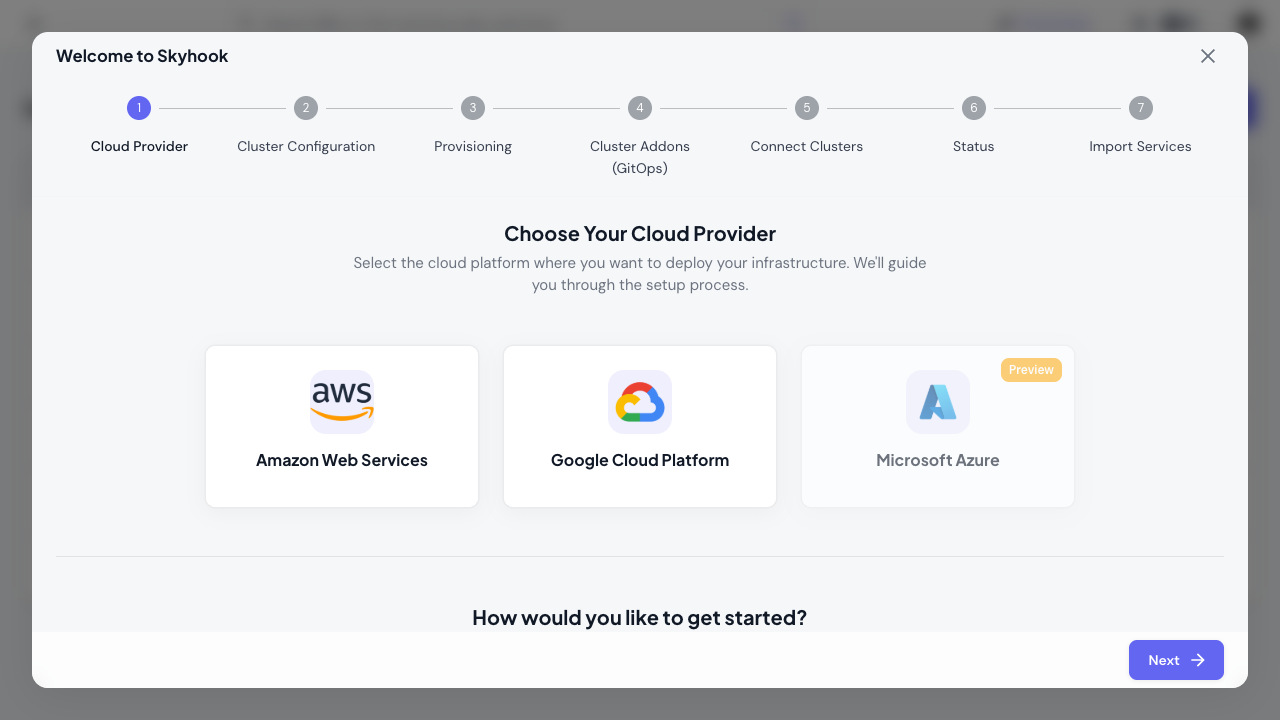
Step 2: Provision New Cluster (15-30 min)
The wizard guides you through cluster provisioning:Provisioning Configuration (5 min)
-
Provision Method: Choose your infrastructure tool
- Terraform - Use Skyhook’s Terraform templates
- Native Platform Tools - AWS CloudFormation/GCP Deployment Manager/ARM Tempaltes
-
Topology: Select your cluster layout
- Single Cluster - All environments in one cluster (lean setup)
- Multi-Cluster - Separate clusters for prod/non-prod + management cluster (recommended)
-
Configuration: Fill in cloud-specific settings
- Cluster name, region/zone
- Node pool size and machine types
- Network configuration
-
Execution Method (Terraform only):
- Manual - Download Terraform files and run locally
- Automated - Let Skyhook execute via GitHub Actions
Provisioning Execution (10-20 min)
The wizard generates your infrastructure code and guides you through execution. Provisioning time varies by cloud provider and cluster size.Connect Provisioned Cluster (5 min)
Once provisioning completes:- Install the Skyhook Connector using the provided
helm installcommand - Verify the cluster connection appears ONLINE in the Skyhook dashboard
Step 3: GitHub & GitOps Setup (5 min)
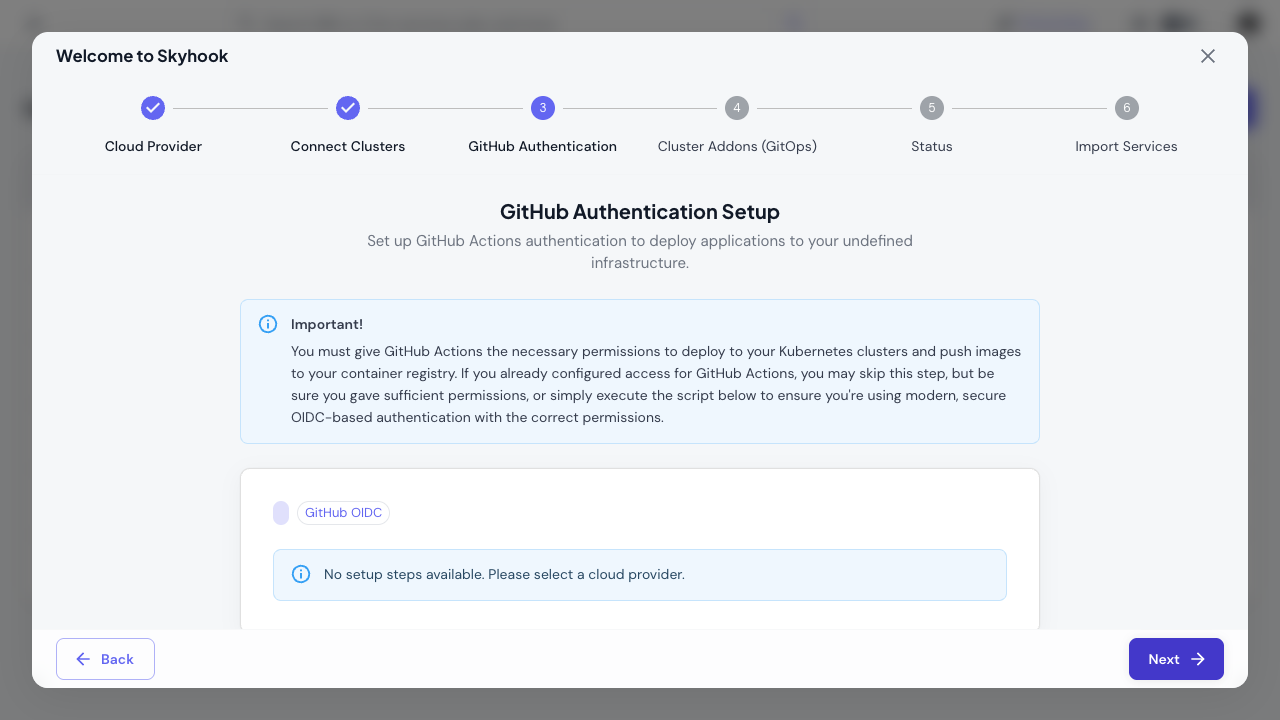
The wizard sets up GitHub access and GitOps automation using ArgoCD:GitHub Authentication
Choose your authentication method:- GitHub Token - Manual personal access token setup
- GitHub OIDC - Automated OIDC-based authentication (recommended)
ArgoCD Installation
The wizard guides you through installing ArgoCD:- Run the provided
helm installcommand to deploy ArgoCD on your management cluster - Set up a GitOps repository (create new or connect existing)
- Configure repository access for ArgoCD
ArgoCD is Skyhook’s recommended approach for managing cluster addons. It provides GitOps-based automation, version control, and drift detection for your infrastructure.
Step 4: Addon Configuration (3 min)
Configure essential Kubernetes addons through the wizard:Core Addons
- cert-manager - Automates TLS certificate management with Let’s Encrypt
- nginx-ingress - Handles ingress routing and load balancing
Configuration
The wizard helps you:- Select which clusters to install each addon on
- Configure addon settings (ingress class, certificate issuers, etc.)
- Generate ArgoCD Applications to manage the addons
Step 5: Import Services (2 min)
Import existing services from your repositories or create new services. You can skip this step and add services later.After Onboarding
Once the wizard completes, you’ll have:- ✅ Kubernetes clusters connected and monitored by Skyhook
- ✅ Skyhook Cluster Connector syncing cluster state in real-time
- ✅ ArgoCD managing your infrastructure via GitOps
- ✅ cert-manager automating TLS certificates
- ✅ nginx-ingress handling external traffic
- ✅ GitOps repository with all configurations version-controlled
- Deploy services to your clusters
- Monitor cluster health and resources
- Manage addons through the GitOps control plane
- Configure environments for your applications
Recommended Tools
These tools are worth having for working with Skyhook and Kubernetes:Alternative: Install Skyhook CLI on Windows or without Homebrew
Windows (Scoop):- kubectl - Kubernetes command-line tool
- kustomize - Template-free Kubernetes configuration customization
- helm - Kubernetes package manager
- skaffold - Automates development workflows for Kubernetes applications
- kubectx - Simplifies working with multiple clusters and namespaces
- stern - Tails and filters logs from multiple pods and containers
- skyhook CLI - Optional command-line interface (all features available in web UI)
Skipping Onboarding
You can skip the wizard and set things up manually:- Connect clusters manually
- Set up ArgoCD for addon management
- Install addons via ArgoCD or helm directly
- Deploy services as needed
Next Steps
Deploy Your First Service
Start deploying applications to your clusters
Monitor Cluster Health
View cluster status, nodes, and resource usage
GitOps with ArgoCD
Learn more about ArgoCD and GitOps workflows
Addon Management
Manage cluster addons via GitOps
Configure Environments
Set up staging, production, and preview environments
Manage Secrets
Add environment variables and secrets to your services
Need Help?
If you get stuck during onboarding:- Check the inline help text in each wizard step
- Refer to our detailed guides for clusters, GitOps, and services
- Contact support for personalized assistance